
Download Samsung Theme Park APK – Custom Themes, One UI, Galaxy Themes, Good Lock, Samsung Galaxy, Personalization App, Theme Creator, Android App
Overview
Samsung Theme Park is a dedicated personalization tool designed for users of Samsung devices running One UI. The application functions as a module within the broader Good Lock ecosystem, enabling users to create and apply custom system-wide themes directly from their smartphones. It addresses the growing demand for deeper customization by allowing users to generate themes based on their preferred wallpaper and color schemes without requiring coding or advanced design skills. The software is ideal for individuals seeking to personalize their mobile experience beyond standard system themes, offering a streamlined path from image selection to theme deployment.
Target users include Samsung Galaxy smartphone owners who value visual uniqueness and aesthetic control over their devices. It caters to both casual users looking for quick personalization and enthusiasts interested in experimenting with design elements. The app integrates seamlessly with existing Samsung personalization services like Galaxy Themes and the Good Lock suite, enhancing the overall customization pipeline. Real-world usage scenarios include personalizing a device for daily use, creating unique themes for special events, or simply refreshing the look of an older device.
Developed by Samsung Electronics Co., Ltd., Theme Park reflects the company’s ongoing commitment to user-centric design and device personalization. The application was released on March 15, 2023, and is available at no cost, aligning with Samsung’s strategy of offering value-added features through free software modules.
Key Features & Capabilities
- AI-Powered Color Extraction: Automatically detects dominant colors from the selected wallpaper to generate a harmonious theme palette.
- One-Click Theme Creation: Users can generate a theme with minimal input by selecting a wallpaper and confirming the main color and style.
- Customizable Design Elements: Offers options to adjust icon colors, status bar styling, and notification tray appearance.
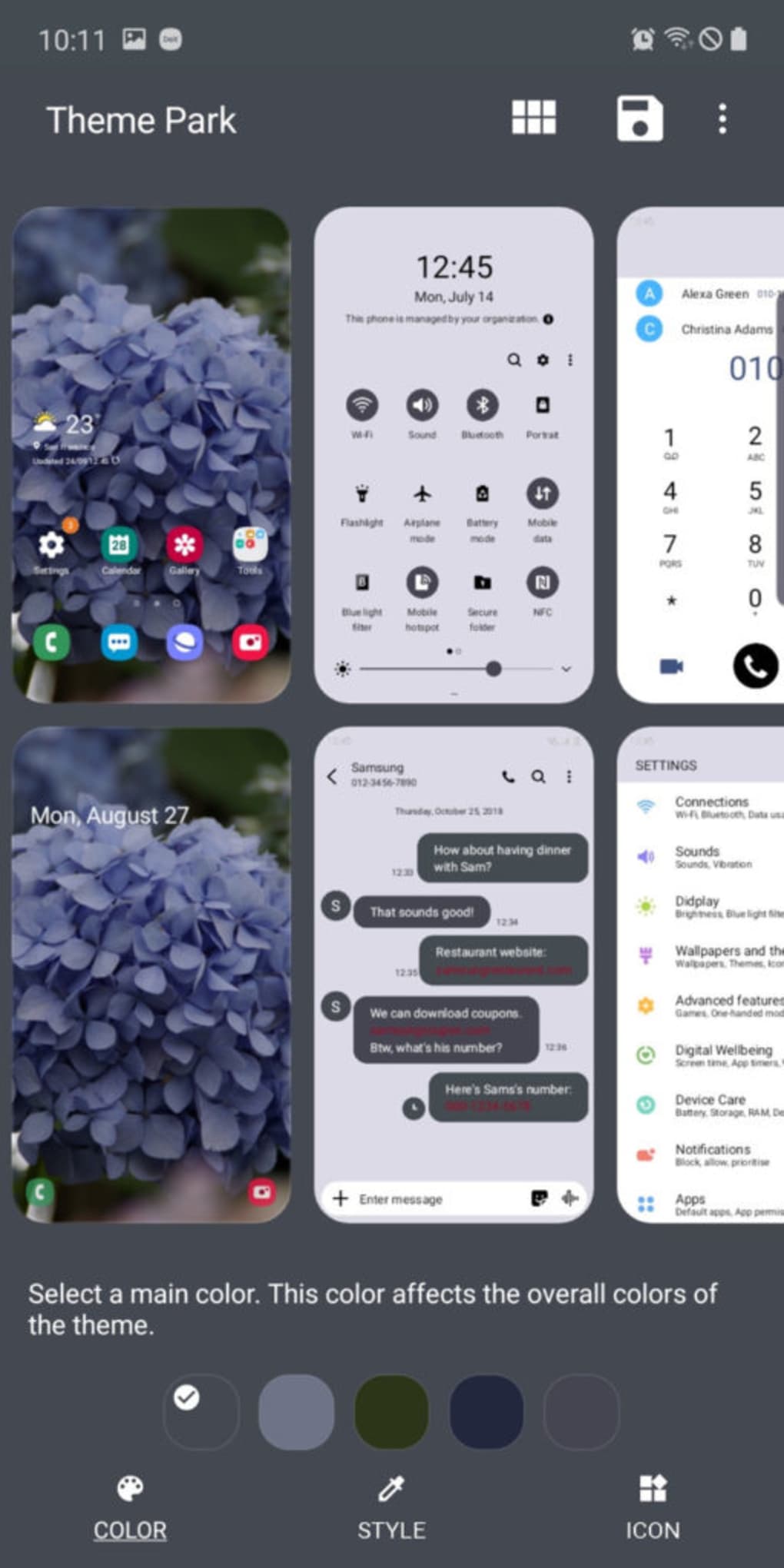
- Real-Time Theme Preview: Provides a visual simulation of how the theme will appear across device interfaces.
- System-Wide Theme Application: Applies the theme across the lock screen, home screen, status bar, and navigation elements.
These features enable users to transform their device’s look in minutes. For example, selecting a scenic landscape as a wallpaper triggers the app to analyze its color composition and suggest five matching theme variants. Users can then choose a preferred color scheme and style, such as vibrant, muted, or minimal, and apply the result with a single tap. This workflow simplifies the process of creating visually cohesive themes without requiring external tools or design expertise.
User Interface, Workflow & Performance
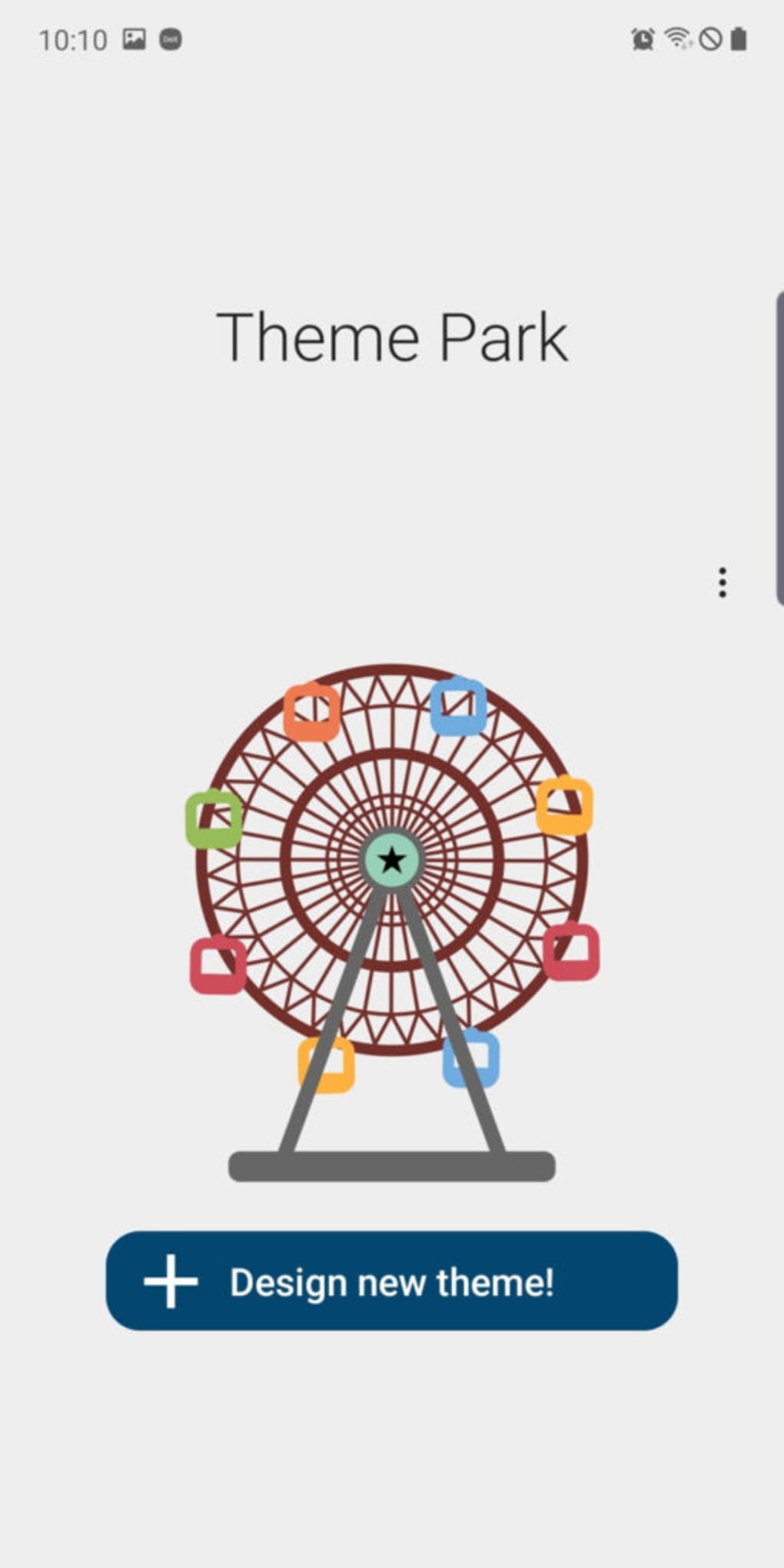
The user interface of Samsung Theme Park is minimalist and focused, centered around a single “Design New Theme” button upon launch. This design reduces cognitive load and guides users through a linear workflow: wallpaper selection → color analysis → style and color customization → preview → application. Navigation is intuitive, with clear visual cues and immediate feedback after each step.
Workflow efficiency is high, as the app automates complex tasks like color matching and UI element adaptation. However, performance observations are based on general software behavior patterns. The developer did not specify resource usage details. Users may experience delays or instability when using high-resolution wallpapers, as reported in some instances. Stability under normal conditions appears consistent, but the app may crash during processing if the image exceeds recommended dimensions.
System-wide dark mode functionality is affected upon theme application, which may impact user experience for those relying on battery-saving or nighttime viewing modes. No official information was provided regarding CPU or RAM consumption, so general assumptions about performance are limited to typical Android app behavior.
Compatibility & System Requirements
Samsung Theme Park is designed for Android devices running One UI, the Samsung-specific skin for Android. It is compatible with Samsung Galaxy smartphones that support the Good Lock app. The application has a file size of 38.4 MB and was released in version 1.0.0.
Exact system requirements were not listed. Compatibility information is limited to the One UI platform. Users are advised to ensure their device is running a supported version of One UI and has the Good Lock app installed. Hardware requirements, such as minimum RAM or processor speed, were not specified by the developer.
Pros and Cons
Pros
- Free to download and use with no in-app purchases.
- Intuitive interface with minimal steps to create a full system theme.
- Automatically generates color schemes based on user-selected wallpaper.
- Enables deep personalization without technical skills or third-party tools.
- Seamlessly integrates with the Good Lock ecosystem and Samsung’s existing theme services.
Cons
- May crash when processing high-resolution wallpapers.
- Disables system-wide dark mode after theme application.
- Theme previews may not accurately reflect the final appearance on the device.
- Limited to Samsung devices with One UI and Good Lock support.
- No option to export or share created themes with other users.
FAQ Section
Is Samsung Theme Park available for all Android devices?
Samsung Theme Park is designed specifically for Samsung devices running One UI. It requires the Good Lock app to function and is not compatible with non-Samsung Android devices.
Is the app safe to download and use?
Yes, the app is developed by Samsung Electronics Co., Ltd. and distributed through official channels. It does not require root access or excessive permissions, making it secure for standard use.
Does Theme Park require an internet connection?
The app does not require an active internet connection to create or apply themes. However, some features may rely on online services for theme suggestions or updates.
Can I update Theme Park automatically?
Updates are delivered through the Galaxy Store or Samsung’s official app distribution channels. Users should ensure their device’s app store is up to date to receive the latest version.
Is there a license or subscription fee?
No, Samsung Theme Park is free to download and use. There are no subscription models or in-app purchases required.
Final Thoughts
Samsung Theme Park delivers a compelling and accessible solution for users seeking to personalize their Samsung Galaxy devices beyond default options. Its streamlined workflow, AI-driven color extraction, and seamless integration with Good Lock make it a valuable addition to the One UI customization suite. While it has limitations—such as potential crashes with high-res wallpapers and the disabling of dark mode—it remains a powerful tool for casual and advanced users alike.
For Samsung Galaxy owners who value visual customization, Theme Park offers a practical way to create unique, system-wide themes without technical barriers. Despite minor drawbacks, its ease of use and free availability make it a standout in the personalization space.
Download Samsung Theme Park now





.png)

